Views: 0 Author: Site Editor Publish Time: 2026-06-17 Origin: Site

Relying on sheer willpower and native phone alarms to study often leads to fragmented focus. High cognitive fatigue sets in quickly when you depend solely on mental discipline. We check our screens just once, losing hours of potential progress to digital distractions. A Digital Study Timer serves as much more than a simple clock. It acts as a strategic commitment device. You can intentionally manipulate environmental cues to protect deep work. Furthermore, it provides concrete data on your actual work capacity.
Choosing the right tool requires understanding your personal workflow bottlenecks. Do you struggle mostly with task procrastination, or do you tend to hyper-focus and burn out? Matching these unique traits with the correct time-blocking methodology changes your entire output. This guide breaks down exactly how to transition from chaotic cramming to a structured, data-backed workflow. You will learn the hidden costs of unregulated study sessions. We will explore advanced methodologies, helping you select a dedicated system to permanently regain control over your attention span.
Many individuals blame themselves for a perceived lack of motivation. They believe they just need to try harder to succeed. In reality, inconsistent study productivity usually stems from a failure of environment design. Human willpower functions as a rapidly depleting resource. It drains completely when you rely on it to fend off endless digital temptations. When you structure your environment poorly, cognitive bandwidth vanishes before the actual learning even begins. You spend more energy resisting distractions than absorbing the material.
Every single self-interruption exacts a heavy toll on your brain. Checking a quick text message or swiping away a news notification creates a profound context-switching penalty. Academic research consistently highlights this invisible cost. It takes approximately 20 to 23 minutes for the human brain to regain deep focus after a minor distraction. These micro-interruptions compound rapidly over an afternoon. A task requiring one hour of pure concentration easily stretches into three hours of fragmented, exhausting effort.
A structured routine actively combats this dangerous decision fatigue. When you implement a reliable system, you eliminate dozens of daily micro-decisions. You no longer ask yourself when to start working or when you deserve a break. The automated interval handles those choices for you. This strategic offloading preserves vital mental energy. You save your cognitive processing power for decoding complex academic theories or solving difficult equations, rather than managing your schedule.
You might wonder why a standard smartphone clock fails as a productivity tool. General-purpose technology contains a fundamental structural flaw. Using a native clock app exposes you directly to the device's broader ecosystem of distractions. When you pick up your phone to set a 25-minute alarm, you inevitably see unread messages, social media badges, and breaking news alerts. You effectively place your timer directly next to your ultimate temptation.
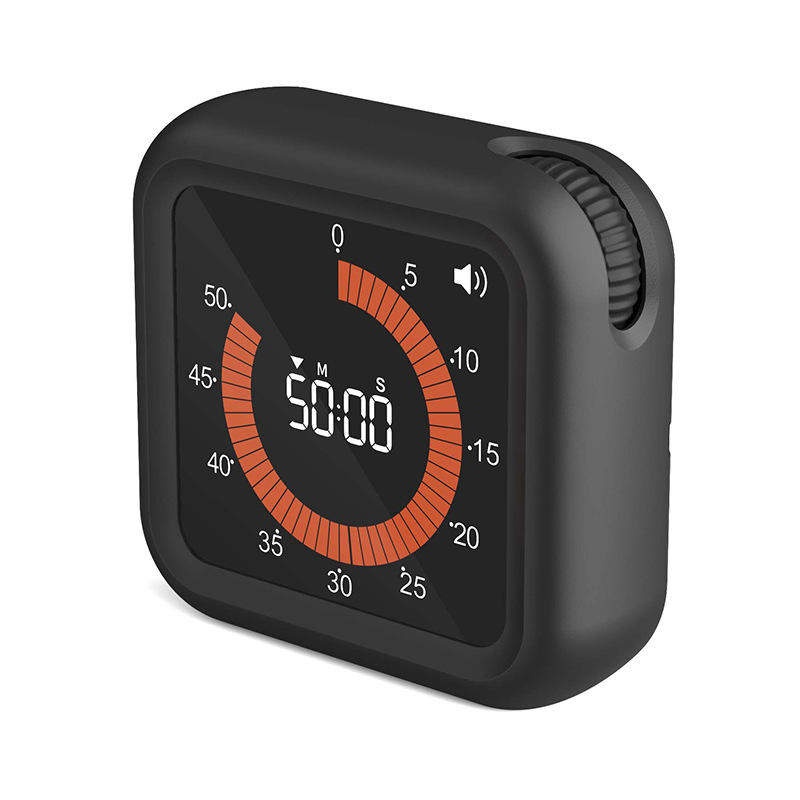
Dedicated tools offer a vastly superior alternative through single-tasking interfaces. A proper Digital Study Timer provides a friction-free, completely isolated environment. You can utilize web-based portals, browser extensions, or physical desktop devices. These dedicated solutions separate the act of time-tracking from the chaotic noise of the internet. You interact only with your study intervals, eliminating the risk of accidental scrolling.
Furthermore, modern digital solutions introduce the powerful concept of group accountability. Online study platforms now facilitate "body doubling" through shared focus sessions. Built-in digital timers synchronize multiple users simultaneously. This creates a virtual environment of peer accountability. Solitary phone alarms simply cannot replicate this social pressure. When you see a live dashboard showing others actively studying, psychological conformity kicks in. This multiplayer dynamic dramatically increases your resistance to abandoning the task early.
Quality time-management tools must support multiple pacing frameworks. No single interval length works universally for all academic tasks. Your chosen system should match the cognitive demands of your current objective. Evaluating these methodologies helps you apply the correct tool for the job.
The traditional Pomodoro technique excels at overcoming initial task resistance. It works perfectly for administrative duties, flashcard reviews, or high-friction assignments. By shrinking your initial commitment to a rigid 25 minutes, it drastically lowers the barrier to entry. If you dread starting a massive research paper, committing to a mere 25 minutes feels highly manageable. It neutralizes the fear of overwhelming effort.
However, rigid alarms sometimes interrupt a natural state of deep concentration. The Flowtime technique directly addresses this primary criticism of the traditional Pomodoro method. Flowtime protects deep work. Modern timers supporting this method allow for upward scaling. You simply begin studying and continue until your natural focus naturally wanes. Once you stop, the system calculates a proportionate, tiered break duration. This ensures you never shatter a productive rhythm prematurely.
Below is a comparative breakdown of how these two dominant methodologies function in practice:
| Feature Dimension | Traditional Pomodoro | Dynamic Flowtime |
|---|---|---|
| Best Suited For | High-friction tasks, tedious reading, administrative work. | Creative writing, complex coding, deep research analysis. |
| Core Benefit | Lowers start resistance; breaks tasks into small chunks. | Protects natural "flow" states; scales dynamically. |
| Break Structure | Fixed (e.g., 5 minutes after 25 minutes of work). | Tiered (e.g., 5 mins for <25 mins work, 10 mins for >50 mins work). |
| Interruption Risk | High. Hard alarms will forcefully stop deep concentration. | Low. The user initiates the break only when fatigue sets in. |
Not all productivity applications deliver the same results. To truly optimize your academic or professional output, you must scrutinize the underlying features of your tool. Evaluate your potential software against these four critical performance criteria.
Look for tools offering robust historical data logging. A superior system records your actual focus data across weeks and months. This provides a realistic audit of how long tasks truly take. Humans consistently suffer from the "planning fallacy," a cognitive bias causing us to underestimate future workloads. Visualizing historical charts neutralizes this bias, allowing you to allocate realistic time blocks for future exams.
Rigid software quickly becomes frustrating. The tool must allow threshold adjustments tailored to your stamina. Research suggests ideal productivity ratios often look like 52 minutes of work followed by 17 minutes of rest. Your app should easily accommodate customized ratios. Additionally, seek out tools featuring "overflow" buffering. If you are mid-sentence when the alarm rings, an overflow feature logs those extra few minutes seamlessly without requiring manual intervention.
Tracking time matters little if you remain susceptible to notifications. Prioritize a Digital Study Timer syncing directly with your operating system's "Focus Modes." Some advanced desktop applications feature built-in site blockers. They enforce strict single-threading by temporarily restricting access to distracting websites during active intervals. This creates a digital fortress around your attention span.
Modern study workflows happen across multiple screens. You might read on a tablet, type on a laptop, and occasionally reference a secondary monitor. Ensure your chosen timer persists seamlessly across browser tabs and standalone desktop environments. You should not have to manually reset your session simply because you switched from your laptop to your mobile device during a library break.
Gamified productivity apps provide excellent initial motivation. However, they can quickly turn into a double-edged sword. Relying too heavily on aggressive metrics sometimes damages long-term academic stamina. You must proactively manage the psychological risks associated with hyper-optimized workflows.
Many dedicated students eventually experience severe "timer anxiety." The constant ticking of a strict digital countdown can induce physiological stress. Your heart rate elevates, and panic sets in as the seconds vanish. This anxiety paradoxically decreases your overall reading comprehension and creative output. You stop absorbing the textbook material because your brain obsessively monitors the shrinking clock. The tool designed to help you focus suddenly becomes your primary source of distraction.
Implementing specific mitigation strategies ensures you reap the benefits without the associated burnout. Consider these actionable guidelines:
Adopting a digital study timer represents a fundamental structural upgrade to your personal productivity. It successfully shifts the heavy burden of discipline away from your limited willpower, placing it securely onto an automated system. By managing your environment and minimizing context switching, you dramatically increase your daily academic output.
Start your transition today by taking actionable steps. First, honestly audit your current study style. Determine whether you fall victim easily to distraction or if you tend toward overworking and burnout. Second, select a software tool supporting both rigid Pomodoro starts and elastic Flowtime tracking. Finally, run a dedicated 3-day baseline test. Use this period purely to gather data on your natural attention span, then review your personal focus analytics to permanently optimize your future sessions.
A: Yes, if applied incorrectly to complex tasks. For deep, creative work, strict 25-minute interruptions can break the flow state. It is recommended to use flexible or "count-up" timers for these specific scenarios.
A: Basic timers only alert you when time expires. Productivity-focused digital study timers include historical data analytics, customizable break ratios, task-tagging, and automated distraction-blocking integrations.
A: Base it on the cognitive friction of the task. Use 25 minutes for tasks you are actively procrastinating on (to lower the start threshold), and 50+ minutes for immersive tasks like essay writing or deep coding where context-loading takes time.