Views: 0 Author: Site Editor Publish Time: 2026-06-20 Origin: Site
You experience a familiar frustration. You download a new timer application. You feel incredibly motivated for exactly one week. Then, you abandon it entirely. You might suffer from "timer anxiety." Perhaps you simply forget to hit start before studying.
Time-blocking methods have solid scientific backing. They successfully reduce daily decision fatigue. However, rigid rules often cause problems. Strict implementation can easily disrupt natural deep work. Furthermore, these methods frequently fail to prevent digital distractions during breaks.
You must bridge the gap between good intentions and actual focus. To do this, evaluate your personal workflow. Consider how a Digital Study Timer integrates into your cognitive load. Assess your digital environment. You will learn to optimize intervals, protect flow states, and eliminate setup pitfalls below.
Constantly watching a countdown clock harms productivity. It creates an artificial sense of urgency. This urgency spikes your cortisol levels. High stress degrades your complex problem-solving abilities. You cannot do deep thinking while watching seconds tick away. Your brain shifts into panic mode instead. Focus requires a calm mental environment. Staring at a declining bar introduces unnecessary pressure. You must learn to hide the clock. Trust the alarm to do its job. Allow your mind to engage the material fully.
Users consistently share one primary complaint. An arbitrary alarm pulls them out of a productive "flow state." Flow states occur when you lose track of time. You become completely immersed in a task. A jarring alarm shatters this valuable concentration. Once broken, regaining this deep focus takes significant effort. Experts note regaining focus takes over twenty minutes. You lose momentum. You lose critical thoughts. Timers should support your work. They should never act as abrupt roadblocks to your natural productivity.
You should not use timers to measure endurance. Treat them as psychological tools. They lower the barrier to starting difficult tasks. The Zeigarnik effect explains our human psychology clearly. We remember unfinished tasks better than completed ones. This creates mental friction. A timer helps you just start. You only commit to a brief interval. The friction disappears. You promise yourself a short session. This makes a massive project feel manageable. Starting is usually the hardest phase of any study session.
Timers do not magically create motivation. They simply create boundaries. Success depends heavily on your own discipline. This discipline matters most during rest periods. Surviving a focus block is easy. Returning from a break is hard. You must manage your rest intervals rigorously. If you ignore the break timer, the entire system collapses. A timer only suggests a rhythm. You must provide the willpower to enforce it. Acknowledge this reality early. It prevents you from blaming the tool later.
You often face mundane tasks. Rote memorization requires energy. Administrative work feels boring. You should deploy short, aggressive cycles here. Standard 25-minute work and 5-minute rest intervals work well. They gamify the process. You maintain momentum easily. Frequent breaks keep you from burning out on boring material. Flashcards become a race against the clock. Repetitive typing tasks become small sprints. Keep the intervals tight. Keep the breaks consistent. You will conquer administrative mountains quickly.
Complex research demands a different approach. You cannot rush deep work. Configure extended intervals for these sessions. Try 50 to 90 minutes instead. This accommodates your brain's natural attention span. You avoid the heavy cognitive cost of context switching. Deep thinking needs long, uninterrupted runways. Writing essays requires sustained thought. Coding complex software demands deep immersion. A short interval ruins these tasks. Match the timer length to the cognitive depth of the subject matter.
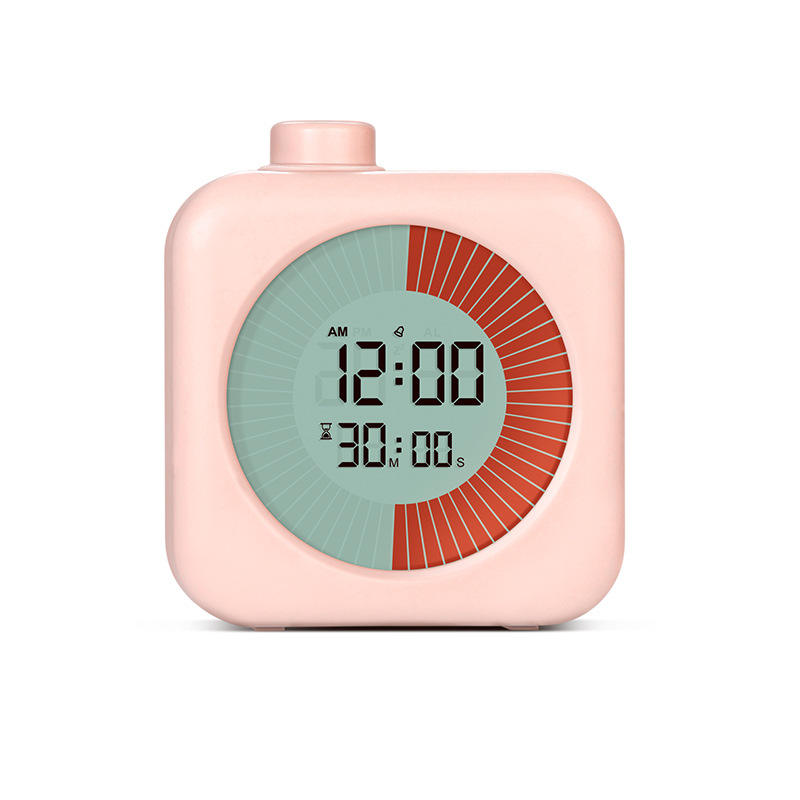
People process time differently. You might need visual timer displays. Pie charts and declining bars make time tangible. They help neurodivergent users grasp the passing minutes. Adjust interval lengths down for younger learners. Children building initial focus habits need shorter cycles. A 10-minute visual block works wonders for beginners. They see the shrinking pie. They understand the concept easily. Slowly increase the time as their focus muscles strengthen. Personalization guarantees higher success rates across all age groups.
Tasks often take longer than expected. You need a safety net. Strategically schedule unstructured timer blocks daily. One or two "overflow" blocks absorb task spillage. They prevent an unfinished task from derailing your primary schedule. You stay calm when things go long. Do not pack your schedule back-to-back. Leave breathing room. If you finish early, you gain free time. If you run late, the buffer saves your schedule. Flexibility keeps time-blocking sustainable long-term.
| Task Type | Recommended Interval | Primary Strategy |
|---|---|---|
| Rote Memorization | 25 Focus / 5 Break | Gamify mundane tasks and maintain high momentum. |
| Deep Work / Research | 50-90 Focus / 15 Break | Protect flow states and minimize context switching. |
| Beginners / Children | 10-15 Focus / 3 Break | Use visual timer displays to build initial habits. |
| Overflow Buffer | 30-60 Unstructured | Absorb task spillage without derailing the schedule. |
You must evaluate tools carefully. Look at four specific dimensions before choosing an application. Do not settle for a basic alarm clock. Modern studying requires modern solutions.
Establish a hard rule for breaks. Short breaks must involve physical movement. You can also practice eye rest. Swapping a laptop screen for a smartphone screen fails completely. It does not reset cognitive fatigue. Your brain still processes digital stimuli. Stand up. Stretch your legs. Look out a window. Drink a glass of water. Give your eyes a rest from blue light. True breaks restore your energy levels. Fake breaks drain them further.
Intrusive thoughts will happen. Sudden to-dos will pop into your mind. Utilize a "pause and log" function. Good apps offer this exact feature. Capture the thought on a physical notepad. Do not abandon the current focus block. Immediately return to your work. Deal with the logged item later during a break. Most urgent thoughts are rarely actual emergencies. Writing them down clears your mind safely. Your focus remains unbroken.
Built-in rewards feel good. Growing virtual trees is fun. Earning points provides a dopamine hit. Ensure these serve as secondary motivation. They cannot become your primary goal. You are there to learn. Gamification should gently encourage you. It should never distract you from the actual study material. Do not game the system just to earn points. Keep your priorities straight.
Active timers require manual starts. They work best for specific users. Choose them if you struggle with procrastination. They help overcome ADHD initiation friction. They also suit strictly defined curriculums. These situations require forced pacing. You need an external push to keep moving forward. A reliable Digital Study Timer provides this exact structure. The manual click acts as a commitment. You promise to work until the bell rings. It creates a highly structured environment.
Passive trackers run silently in the background. They log computer activity automatically. Choose these if you enter flow states easily. Advanced learners often prefer them. Researchers and developers benefit greatly. They require background tracking without jarring alarms. You keep your natural workflow intact. You review your metrics at the end of the day. You see exactly where your time went. No interruptions occur. No stress builds up.
Conduct a three-day audit. Use a basic active timer first. Identify your primary bottleneck. Do you struggle to start the work? Stick to active tools. Do you struggle to sustain it without interruption? Pivot to passive tracking immediately. Alternatively, switch to highly extended intervals. Data drives good decisions. Test both methods honestly. See what your brain prefers. Adopt the system yielding the highest quality output.
| Feature | Active Timers | Passive Trackers |
|---|---|---|
| Activation | Requires manual user start | Runs automatically in the background |
| Interruption Level | High (uses alarms for breaks) | None (silent logging) |
| Best Used For | Procrastination, rote tasks, ADHD | Deep work, coding, advanced research |
| Primary Benefit | Creates strong behavioral boundaries | Preserves natural flow states |
A digital study timer is a structural tool. It is never a magic fix. Its true efficacy relies on matching the software's constraints to your specific behavioral bottlenecks. You must balance app blocking, interval lengths, and tracking styles carefully. Success requires continuous adjustments.
Your action-oriented next steps include:
A: No. While effective for initiation, complex problem-solving often requires 50- to 90-minute blocks to account for the time it takes to enter a deep flow state.
A: Utilize a digital study timer that features strict "strict mode" app blocking during breaks, or physically remove your phone from the study environment.
A: If the distraction is unavoidable (a phone call, an emergency), pause or abandon the block. If it is a self-inflicted distraction (checking a notification), log the urge on a notepad and immediately return to the active timer.
A: Pomodoro timers require manual activation and enforce scheduled breaks via alarms. Passive trackers run silently in the background, logging computer activity without interrupting the user's natural workflow.